 Dazzle Invoicing
GST-ready billing for Windows
GST invoicing that keeps your business on schedule
Dazzle Invoicing is a Windows app for creating GST invoices, estimates and credit notes, recording purchases, and keeping customers, vendors and items organised in one place.
Made for Windows 10 and Windows 11.
-
GST-readyCGST, SGST and IGST, with GSTIN and HSN fields.
-
UPI QR on invoicesCustomers can scan to pay the amount due.
-
Data on your PCStored on your device by default, with optional online sync.
-
Print, download, emailSend an invoice from the same screen you made it on.
Everything you bill and buy, in one app
Stop switching between spreadsheets, documents and notebooks. Dazzle Invoicing keeps the paperwork of selling and buying together.
-
Professional invoices in minutes
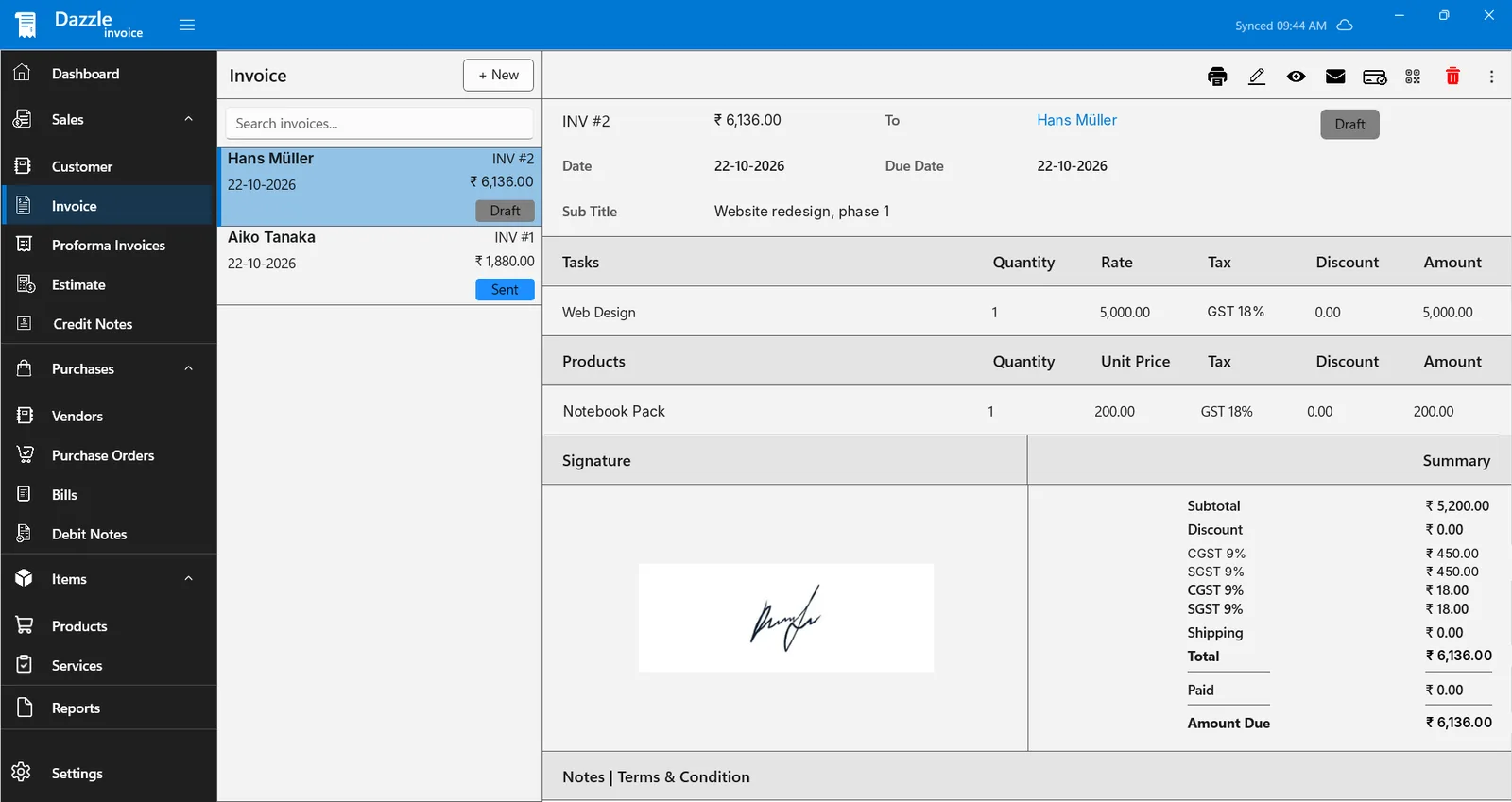
Pick a customer, add products or services, and your invoice is ready to send or print.
-
Quotes before the sale
Send estimates and proforma invoices to win the job, then keep the paperwork consistent once it is confirmed.
-
Track what you buy
Record vendors, purchase orders, bills and debit notes so you always know what you owe and to whom.
-
Customers and vendors in one list
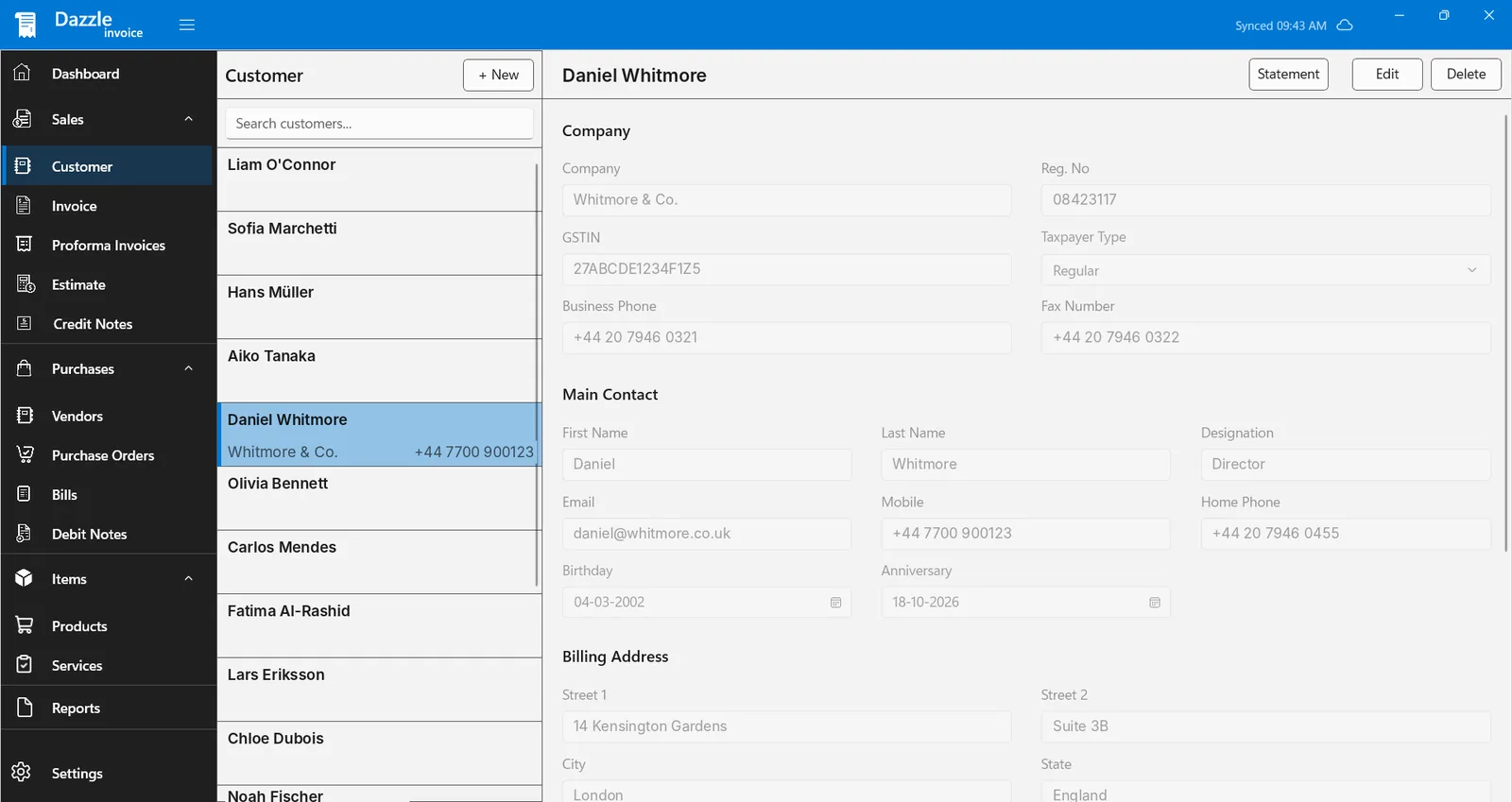
Keep contact, billing and GST details together, and open a customer statement from their record.
-
Your data stays on your device
Records are stored on your PC by default. Turn on online sync when you want a copy in the cloud.
-
Your company details on every document
Set up your business profile once, with your logo and signature, and it appears on everything you create.
GST billing, built into every invoice
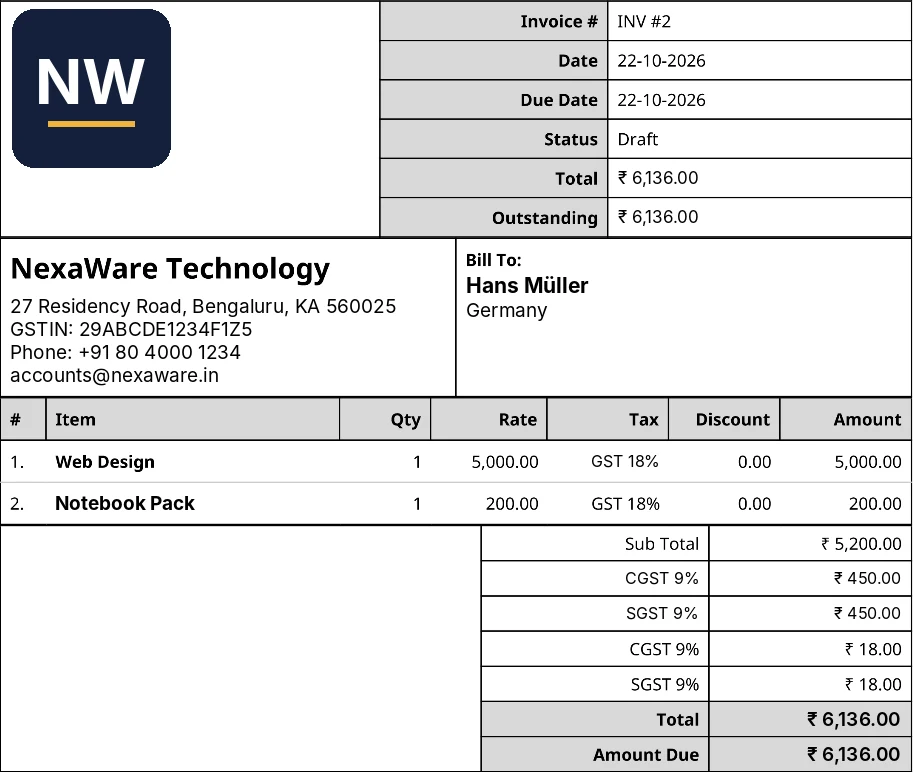
Add your GSTIN once, choose a GST rate for each item, and the tax lines appear on the invoice for you.
- GSTIN for you and your customers. Your company details print on every invoice, and each customer record has its own GSTIN and taxpayer type.
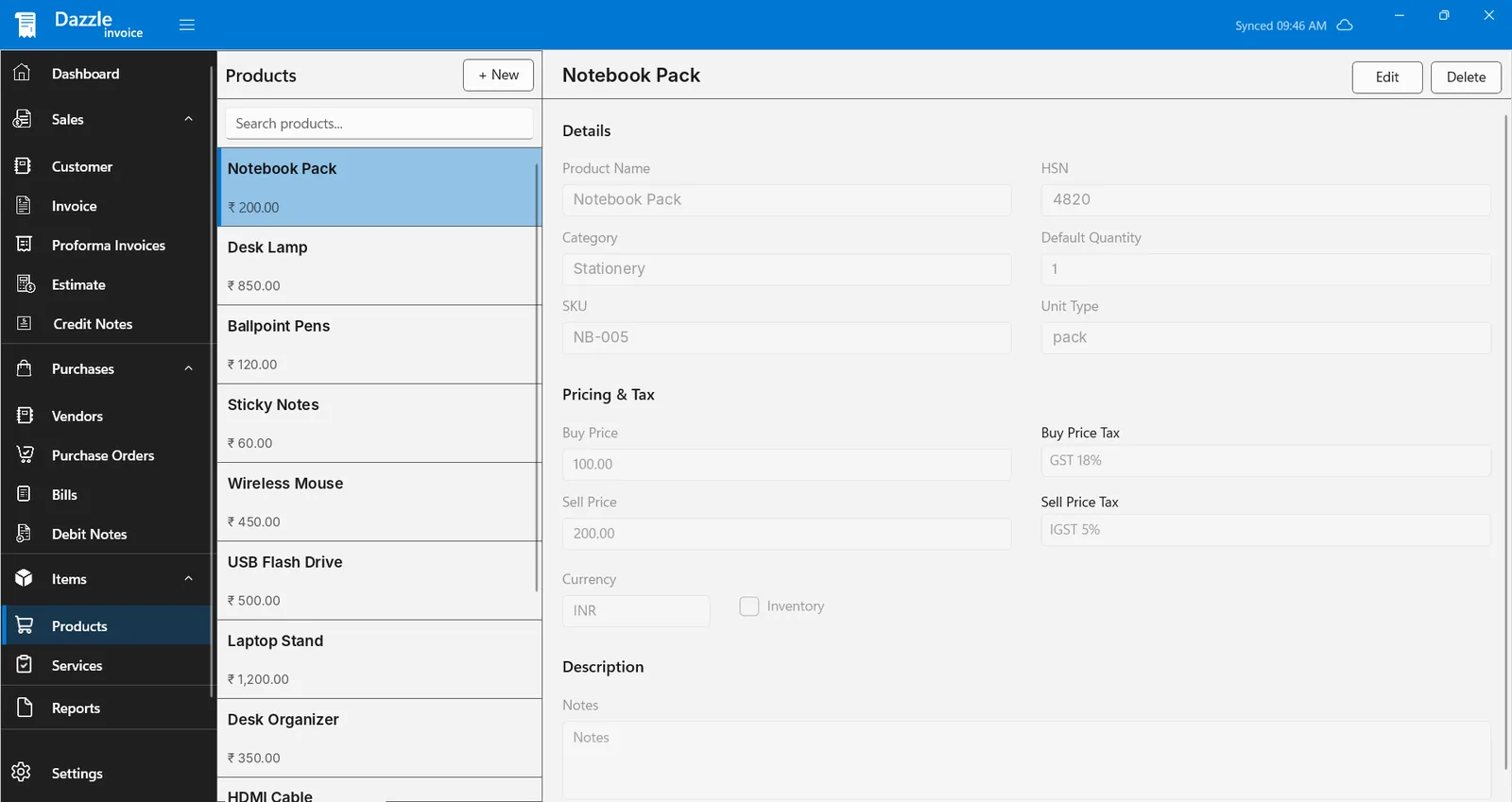
- HSN codes on products. Keep the HSN code, SKU, unit and category with each product.
- CGST, SGST and IGST. Pick a rate such as GST 18% for an item. The invoice lists CGST and SGST separately, and IGST rates are available too.
- Buy and sell prices with their own tax. Record what an item costs you and what you charge, each with its own tax rate.
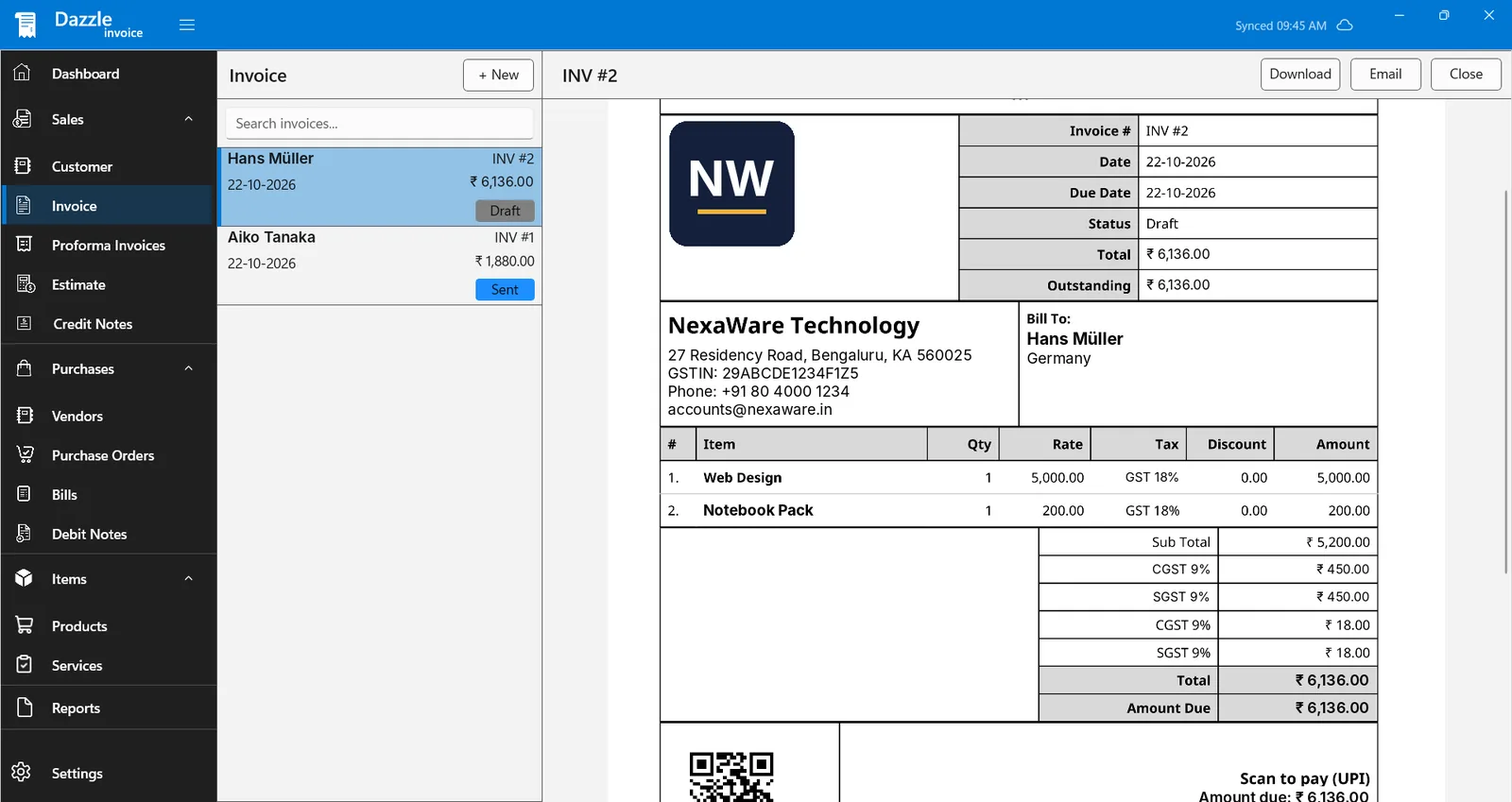
- Scan to pay (UPI). The invoice preview includes a UPI QR code with the amount due.
Dazzle Invoicing helps you prepare invoices. Check the tax rules for your business with your accountant.
Know who owes you, at a glance
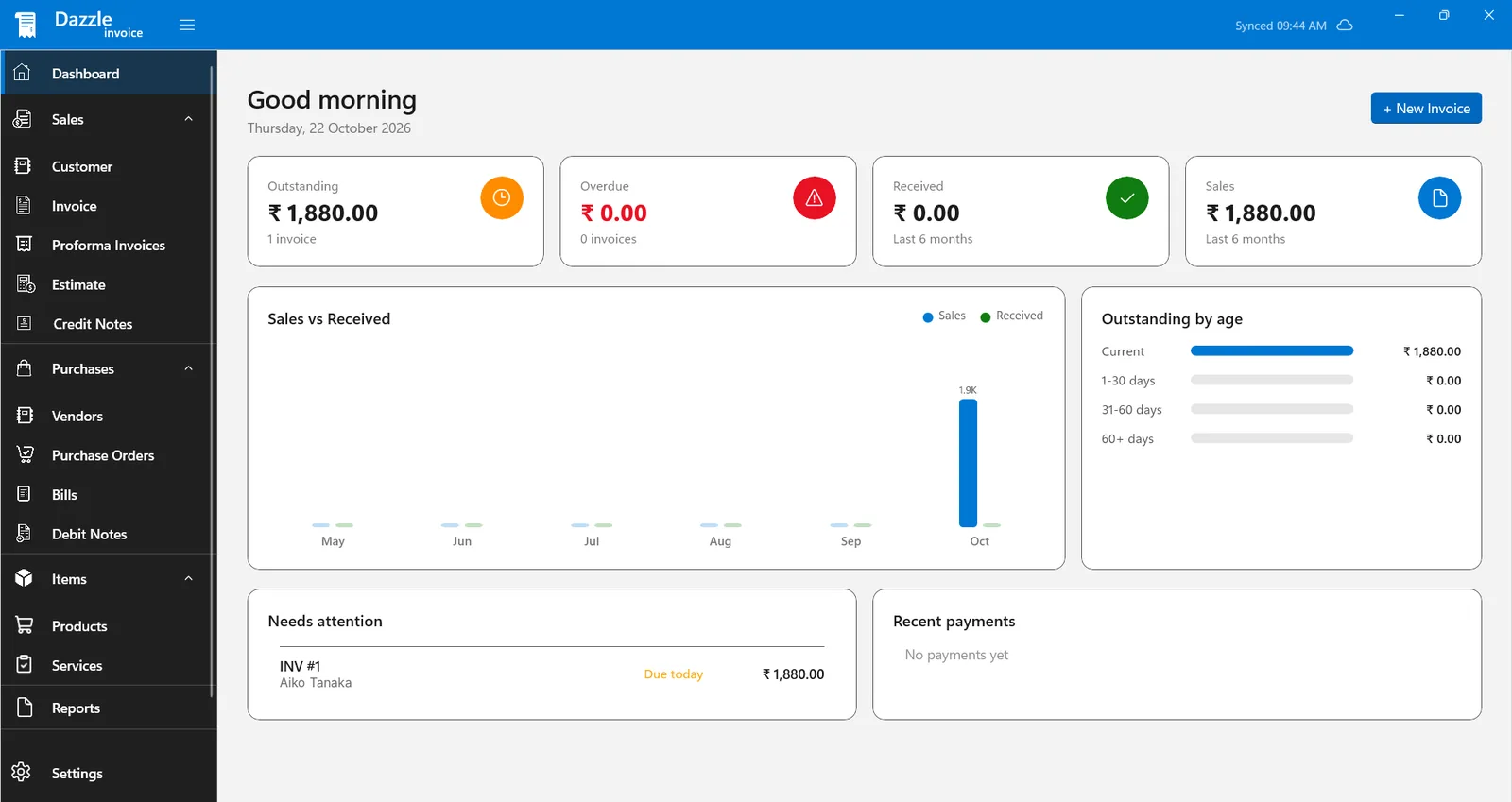
Open the dashboard and see where your money stands before you start the day.
Outstanding and overdue
See how much is waiting to be paid and how many invoices are already late.
Sales against what you received
A six-month chart compares what you billed with the money that actually came in.
Outstanding by age
Current, 1-30, 31-60 and 60+ days, so you know who to follow up with first.
The documents your business actually uses
Sales, purchases and items are organised the way you already think about them.
Sales
- Customers
- Invoices
- Proforma invoices
- Estimates
- Credit notes
Purchases
- Vendors
- Purchase orders
- Bills
- Debit notes
Items
- Products
- Services
- Your company profile
- App settings
Made for everyday small-business billing
If you bill customers and buy from vendors, the same app covers both sides.
Shops and traders
Bill your customers with GST, keep products with HSN codes and prices, and see what each customer still owes.
Freelancers and agencies
Invoice for services and projects, send an estimate first, and keep track of what is overdue.
Wholesalers and distributors
Record vendors, purchase orders and bills next to your sales, so buying and selling stay in one place.
Repair, service and coaching businesses
Create invoices and credit notes, print or email them, and keep every customer's record together.
Start billing in three steps
-
Install from Microsoft Store
Open the Store link on your Windows PC and select Get. Updates arrive automatically.
-
Add your company and customers
Enter your business details and GSTIN once, then add the customers and items you sell.
-
Create your first invoice
Choose a customer, add items, and save. Your invoice is ready to send or print.
See it in action
Select a screenshot to view it larger.
Questions people ask
Does it support GST invoices?
Yes. Add your GSTIN and your customers' GSTINs, store HSN codes on products, and choose a GST rate for each item. The invoice lists CGST and SGST separately, and IGST rates are available as well. Check the tax rules for your business with your accountant.
Can I add a UPI QR code to my invoices?
The invoice preview includes a Scan to pay (UPI) QR code with the amount due, so customers can pay straight from their phone.
Which versions of Windows does it run on?
Dazzle Invoicing is built for Windows 10 and Windows 11 and is installed from the Microsoft Store.
How much does it cost?
You can install it from the Microsoft Store. Some features depend on your plan, and subscriptions are managed through your Microsoft account. The Store page shows the current plan details.
What can I create with it?
Invoices, proforma invoices, estimates, credit notes, purchase orders, bills and debit notes, along with customer, vendor, product and service records.
Can I print or email an invoice?
Yes. From an invoice you can print it, preview it, download it or email it to your customer.
Where is my data stored?
On your device by default. If you turn on online sync, a copy is also kept in cloud storage that only your account can access. You can delete your data from the app settings at any time.
Where do I get help?
Write to us at vayuvistatechnolabs@gmail.com. Tell us what you were doing and what you saw, and we will reply as soon as we can.
How do you handle my information?
Our Privacy Policy explains what we collect and why, in plain language.
Ready to send your next invoice?
Install Dazzle Invoicing on your Windows PC and have your first document ready today.
Get it from Microsoft Store